

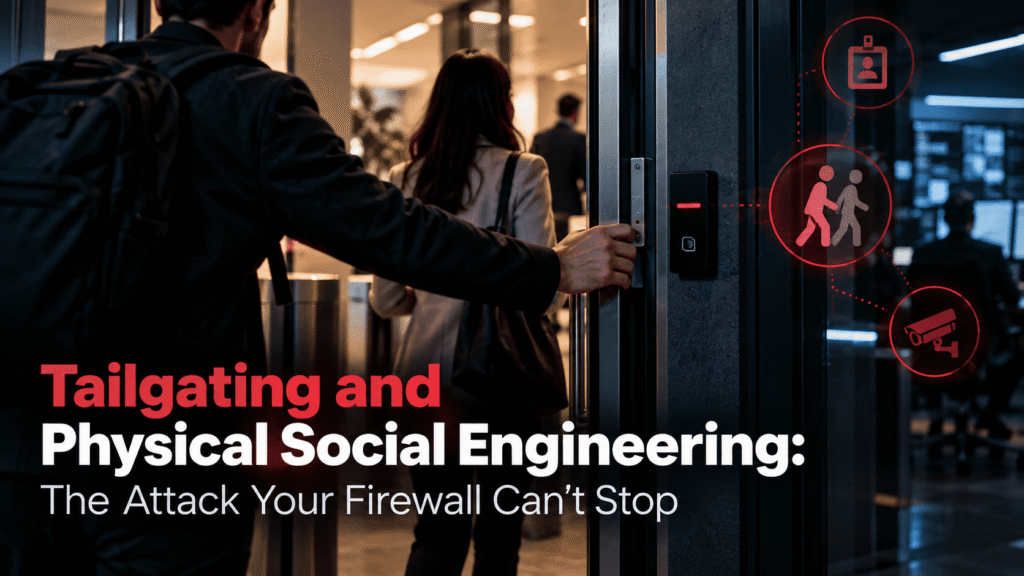
Tailgating and Physical Social Engineering: The Attack Your Firewall Can’t Stop
Your firewall has no opinion about the person holding a coffee tray who asks you to hold the door. Neither does your endpoint protection, your email gateway, or your SIEM. Tailgating and physical social engineering happen in the real world, where most security tooling cannot see them.
That gap matters. Attackers know that the cheapest path into a network often starts in a lobby, a parking garage, or a smoking area. They do not need to defeat your encryption if someone holds the door open for them.
This article explains how these attacks work, why they succeed, and what security teams can do about them. It also covers how awareness training fits into the picture.
What Tailgating Actually Is
Tailgating means following an authorized person into a restricted area without proper credentials. The authorized person usually opens the door, badges in, and lets the stranger slip through behind them. Sometimes they do it knowingly, out of politeness. More often they do it without thinking.
People often use “piggybacking” as a synonym, though some security teams draw a line between the two. In that framing, tailgating happens without the employee noticing, while piggybacking involves the employee knowingly allowing access. In practice, both produce the same result. An unauthorized person is now inside your building.
Tailgating is one tactic within a larger category called physical social engineering. That category covers any attempt to manipulate people into granting physical access or handing over information face to face. It includes impersonation, pretexting, badge cloning, and simple lies told with confidence.
Why Physical Attacks Still Work
Human behavior is the vulnerability here, and it has not changed much. People want to be helpful. They avoid confrontation. They assume that anyone inside the building belongs there.
Several psychological factors make physical attacks effective:
- Social courtesy. Holding a door is a reflex. Challenging a stranger feels rude.
- Authority cues. A hi-vis vest, a clipboard, or a lanyard signals legitimacy, even when the badge is blank.
- Reciprocity. Someone with full hands who smiles and says thanks creates a small social debt that is hard to refuse.
- Diffusion of responsibility. In a busy lobby, everyone assumes someone else will question the stranger.
- Time pressure. A person rushing to a meeting rarely stops to verify a face they do not recognize.
Attackers study these reflexes and build their approach around them. A good one does not look suspicious. A good one looks bored, busy, and slightly annoyed, just like everyone else on a Monday morning.
A Realistic Scenario: The Delivery Driver Who Never Left
Consider a mid-sized logistics firm with two floors in a shared office building. Reception sits on the ground floor, but the second-floor suite has its own badge-controlled glass door. Employees tap in all day.
At 8:50 on a Tuesday, a man in a courier jacket approaches the second-floor door. He carries three boxes and a tablet. He looks flustered. As an employee badges in, he says, “Sorry, the lobby told me to bring these straight up. Could you grab the door?”
She does. He thanks her and walks in.
Inside, he finds a small meeting room with a wall-mounted display and an open network port. He sets down the boxes, plugs in a small device, and sits as though waiting for someone. Nobody asks who he is. A delivery person waiting for a signature is the most forgettable person in any office.
Within twenty minutes, he has left. The device stays behind, quietly connected to the internal network. His real work happens later, from outside, over a remote connection.
Nothing in this story required a software exploit. The attacker spent no money on tools beyond a courier jacket and a cheap device. The firm’s perimeter defenses never triggered an alert, because the intruder was already inside the perimeter.
Security professionals who run physical assessments see versions of this story constantly. The props change, but the pattern holds. A confident story, a small favor, and a door that opens.
Common Physical Social Engineering Tactics
Tailgating is the most visible technique, but attackers have a wider toolkit. Knowing the variations helps teams build realistic defenses.
Pretexting and Impersonation
The attacker invents a believable reason to be on site. Common roles include IT support, facilities contractors, couriers, auditors, and new hires on their first day. Each role comes with built-in permission to look around, ask questions, and be left alone.
Badge Cloning and Shoulder Surfing
Some attackers skip the conversation entirely. They capture credentials from a distance, copy a proximity badge, or photograph a badge left on a desk or in a car. Others simply watch a PIN being entered at a keypad.
Dumpster Diving and Document Theft
Printed documents, sticky notes, and old hardware often contain more useful information than an attacker could guess. Org charts, internal phone lists, and handwritten passwords all help build a convincing pretext for the next attempt.
Rogue Devices
A short window of physical access can be enough to plant a device. Examples include small network implants, malicious USB drives left in common areas, and keyloggers attached to workstations. These devices turn a few minutes inside the building into weeks of remote access.
The Distraction Method
Two people work together. One draws attention with a question or a minor emergency. The other walks through the door. Teams that check badges at every entrance still fail when the person checking is busy being helpful.
Why Your Digital Defenses Cannot Help
A firewall inspects traffic. It does not inspect people. Once an attacker sits inside your building and connects to an internal network, many of the controls you rely on stop being relevant.
Consider what a physical intruder can bypass:
- Perimeter firewalls and external intrusion detection, since the device sits on the trusted side
- Email filtering, because no email is involved
- Multi-factor authentication on remote access, because the attacker is not accessing remotely yet
- Network segmentation that assumes anything inside is semi-trusted
Even well-designed zero trust architectures can struggle if an attacker captures credentials or a session from an unlocked machine. Physical access shortens the attacker’s path dramatically. It also leaves fewer digital traces, which makes investigation harder.
This does not mean technical controls are useless. It means they cover one layer. Physical security, process, and human awareness cover the others. An attacker needs to find only one weak layer.
The Business Impact of a Physical Breach
Many organizations treat physical security as a facilities issue. That view undersells the risk.
A physical intrusion can lead to stolen laptops, copied data, planted malware, and long-term network access. It can expose customer records and trigger regulatory obligations. It can also damage client trust, especially for managed service providers and any business that holds sensitive information on behalf of others.
There is also a quieter cost. Once an organization discovers that a stranger walked through its offices unchallenged, it has to question everything else. Which rooms were visited? Which devices were touched? What was photographed? Investigations after physical incidents are slow and expensive because the evidence is often thin.
For companies that serve enterprise clients through partners or resellers, the stakes rise further. A single weak branch office can become the entry point into a much larger environment.
Why Policies Alone Rarely Solve It
Most organizations already have a policy that says “do not allow unauthorized people into secure areas.” Most employees have read it, or at least signed something saying they did. Yet tailgating continues.
The reason is simple. A policy tells people what to do. It does not prepare them for the moment when a smiling stranger with full hands asks for a favor. That moment is emotional and social, not logical.
Effective defenses acknowledge this. They give employees specific language to use, remove the social cost of saying no, and make challenging a stranger a normal and respected behavior. They also back that behavior with leadership support, so no one worries about getting in trouble for stopping a senior-looking visitor.
What Security Teams Can Do: A Practical Checklist
You cannot eliminate tailgating completely. You can make it harder, more visible, and less rewarding. The steps below work best when combined.
Strengthen the Physical Controls
- Use access control that limits one person per badge swipe. Turnstiles, mantraps, and security vestibules reduce casual tailgating at high-risk entrances.
- Require visible badges everywhere. Make this a norm for employees, contractors, and visitors alike.
- Issue distinct visitor badges. Visitors should look different from staff and should always have an escort.
- Protect network ports. Disable unused wall ports, use port-level authentication, and lock down meeting-room connections.
- Secure printing and waste. Use locked shred bins and require badge release for printed documents.
- Lock screens automatically. Set short idle timeouts, and train staff to lock devices whenever they step away.
Build Clear Procedures
- Define what happens when someone is unrecognized. Give employees a simple script, such as “Can I help you find someone? I’ll walk you to reception.”
- Make reporting easy. Provide a single phone number or chat channel for reporting suspicious people, with no judgment attached.
- Verify contractors and deliveries. Confirm appointments with the vendor through a known contact, not through details the visitor provides.
- Control after-hours access. Review who holds badges that work outside normal hours.
- Review badge logs. Look for unusual patterns, such as one badge used in two places within minutes.
Test Your Defenses
- Run physical walk-through assessments. Ask a trusted internal team or an external specialist to attempt entry under agreed rules of engagement.
- Document what happened and share it. Treat results as learning material, not as a way to blame individual employees.
- Repeat the tests. One assessment shows a snapshot. Regular testing shows whether behavior is improving.
Train People Continuously
- Cover physical scenarios, not only phishing. Many awareness programs ignore the lobby entirely.
- Use real examples. Short stories about how attacks unfold stick better than rules.
- Reinforce often. A single annual session fades within weeks. Frequent, short reminders work better.
- Reward the right behavior. Thank employees who challenge strangers or report oddities, even when the stranger turns out to be legitimate.
Making Challenge a Safe Behavior
The most important cultural shift is also the hardest. Employees must feel that questioning a stranger is part of their job, not an act of rudeness.
Leaders set the tone here. If an executive gets annoyed at being asked for ID, staff learn to stop asking. If an executive thanks the person who asked, staff learn the opposite. Small signals travel quickly through an organization.
Phrase matters too. “Who are you?” sounds confrontational. “Hi, are you meeting someone here? I can help you check in” sounds friendly and does the same job. Give people options that feel natural, and they will use them.
It also helps to remove the pressure of acting alone. Employees should know that calling security about a stranger is normal, even when the stranger turns out to be fine. No one should fear embarrassment for a false alarm.
Where Physical and Digital Threats Meet
Physical social engineering rarely stands alone. Attackers often combine it with digital methods, and each side strengthens the other.
A stranger who photographs a badge or an org chart gains material for a convincing phishing email. A phishing victim who reveals building access details helps an attacker plan a physical visit. Credentials found on the dark web can make a pretext more believable, because the attacker already knows names, roles, and system details.
This overlap means defenders cannot treat the two worlds separately. A security awareness program that trains people only on email threats leaves them unprepared for the same attacker’s next move at the front door. The mindset is identical in both cases: pause, verify, and report when something feels wrong.
How Cruxroot Supports This Work
Cruxroot is a cybersecurity and security awareness platform built around the idea that people form a core layer of defense. It does not replace physical controls or professional assessments. It helps your employees recognize and respond to manipulation, whether it arrives by email, phone, or at the front door.
Three parts of the platform connect directly to the challenges in this article.
Phishing simulations. Social engineering works through the same psychology online and in person. Realistic simulations teach employees to pause and verify before acting on a request. That habit carries over to physical situations, where the same pressure and urgency tactics appear.
Dark web monitoring. Leaked credentials and personal details give attackers material for convincing pretexts. Monitoring helps you spot exposed accounts early, so you can reset access and warn affected staff before an attacker uses the information.
Gamified training. Annual lectures rarely change behavior. Short, engaging modules, scenarios, and challenges keep awareness fresh and give employees a chance to practice decisions in a low-stakes setting. Teams can build physical security scenarios, such as the delivery driver example above, into regular training rhythms.
No platform stops every attack. Cruxroot works best as one layer within a broader program that includes physical controls, clear procedures, and regular testing. Your MSP partner can help match the right mix of tools to your environment and risk profile.
Conclusion
Tailgating works because it exploits kindness, not technology. A firewall cannot tell a courier from an intruder, and a policy document cannot prepare someone for an awkward moment at a door.
The answer is layered. Tighten physical access, give employees simple scripts, test your defenses, and train people continuously. Make it normal, even admirable, to ask a stranger who they are meeting.
Start with one entrance and one honest question: if someone confident walked in behind an employee tomorrow, what would happen? The answer will show you where to begin.
Check our latest the blog regarding The Human Element in Data Breaches: What Real Incidents Teach Us
