

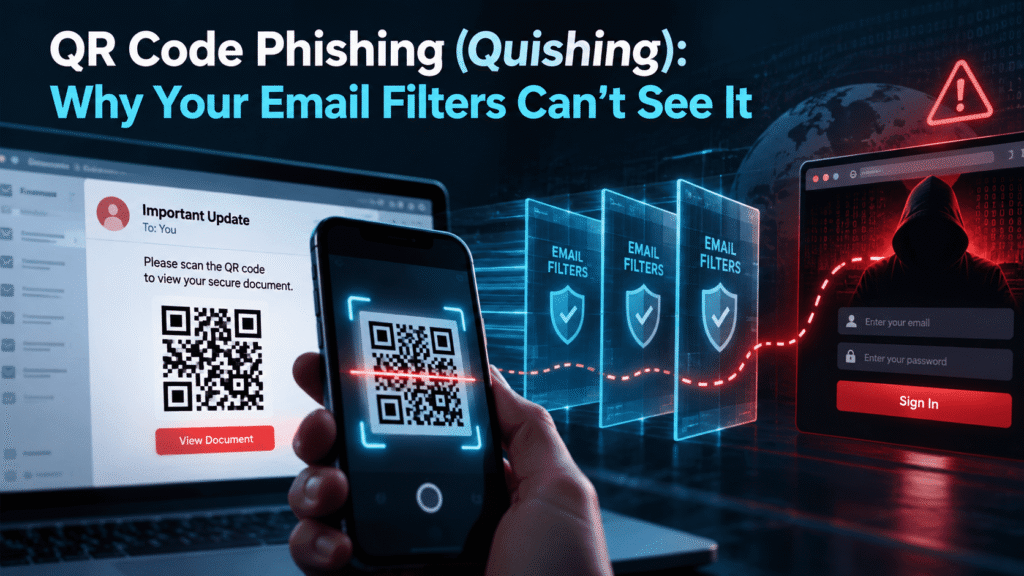
QR Code Phishing (Quishing): Why Your Email Filters Can’t See It
A message lands in an employee’s inbox. It looks like a routine notice from IT about multi-factor authentication. There is no link to click, only a QR code and a short instruction to scan it with a phone. The employee scans it, and the attack is already working.
This is QR code phishing, often called quishing. It has become a steady problem for security teams because it exploits a gap in how most email defenses work. Your filters read text and follow links. They are far less capable of reading a picture.
This post explains how quishing works, why it evades common controls, and what you can do about it. It also covers the human side, because technical controls alone will not close this gap.
What Is QR Code Phishing (Quishing)?
Quishing is a phishing attack that uses a QR code in place of a clickable link. The code points to a malicious website, usually a fake login page built to steal credentials or session tokens. The attacker’s goal is the same as in any phishing campaign. Only the delivery method changes.
The tactic works because QR codes have become normal. People scan them at restaurants, parking meters, conference booths, and delivery notices. Most employees no longer treat a QR code as something unusual or risky.
Attackers know this. They wrap the code in a believable story, such as a payroll update, a shared document, a voicemail notification, or a security alert. The code itself looks harmless because a person cannot read its destination by looking at it.
Why Email Filters Struggle to Detect Quishing
Traditional email security gateways rely on a few core techniques. They scan message text for suspicious phrases. They extract URLs and check them against reputation lists. They detonate attachments in sandboxes. Each of these methods assumes the malicious content is available as text or as a known file type.
A QR code breaks that assumption. The malicious URL is encoded in an image, and the filter sees pixels instead of a link. Unless the gateway decodes the image and inspects the result, the URL never gets checked.
Some products now do decode QR codes. Coverage is inconsistent, though, and attackers adapt quickly. They change the image format, split the code into pieces, or embed it in ways that make detection harder. Even where scanning exists, it often works as one signal among many, not as a reliable block.
Techniques Attackers Use to Hide the Code
Attackers have tried several ways to keep their QR codes out of sight of automated tools. Here are the most common ones:
- Embedding the code in a PDF or Word attachment. The email body looks clean, and the code sits inside a document the filter may not fully parse.
- Using image files with unusual formats or layered graphics. This makes automated decoding less reliable.
- Splitting a single code into two images. Each half looks meaningless on its own, but the two render together as one scannable code.
- Building the code from text characters or HTML tables. The “image” is not an image at all, so image-based scanning misses it.
- Using redirect chains. The code points to a legitimate-looking URL that later forwards the victim to the real phishing page.
None of these methods is exotic. They are simple adjustments that exploit the limits of automated scanning.
The Mobile Device Problem
The email filter is only part of the story. The scan itself moves the attack off the corporate network and onto a personal or lightly managed phone.
On a laptop, a corporate endpoint may run DNS filtering, a secure web gateway, and endpoint detection tools. On a phone, especially one that is not enrolled in device management, many of those protections do not exist. The employee leaves the protected environment the moment the camera opens the link.
This shift also changes the user’s behavior. People type passwords into phone browsers quickly and with less scrutiny. The screen is small, the address bar is often truncated, and the usual visual cues of a suspicious page are harder to spot.
Security teams also lose visibility. If the attack happens on a personal device, the SOC may never see the click. The first sign of trouble is often a compromised account, not a flagged event.
A Realistic Quishing Scenario
Consider a mid-sized logistics company with about 600 employees. The finance team receives an email on a Monday morning. It appears to come from the company’s HR platform, and it says that open enrollment requires everyone to re-verify their identity.
The message contains no link. It shows a QR code and a line of text: “Scan with your phone to confirm your details before Friday.” The sender domain is a close lookalike of the real HR vendor, with one swapped letter that is easy to miss.
The email passes through the gateway without a warning. The filter finds no URL, no attachment, and no known bad sender. A finance analyst scans the code on her personal phone, sees a page that looks like the company’s single sign-on portal, and enters her credentials and the one-time code from her authenticator app.
The attacker’s page relays those details in real time to the genuine login service. The attacker captures a valid session and signs in as the analyst within seconds. By the time anyone notices, the attacker has read her mailbox and set a forwarding rule.
Nothing in this scenario required advanced tooling. It required a convincing pretext, a lookalike domain, and a QR code. The weak points were the gateway’s blind spot and the analyst’s reasonable assumption that a QR code from HR was safe.
Why Quishing Works on Smart, Careful People
It is tempting to blame the person who scanned the code. That reading is wrong, and it makes your defense weaker.
Quishing works because it removes the habits that training has built. For years, employees learned to hover over links before clicking. They learned to check the sender address and look for odd URLs. A QR code gives them nothing to hover over and no URL to inspect.
The attack also leans on timing and authority. Messages about payroll, MFA changes, shared files, or account lockouts create pressure. Under pressure, people take the fastest path, and a QR code is fast.
Finally, QR codes carry a built-in sense of convenience. The whole point of the format is to skip the typing. Attackers borrow that goodwill.
The Physical World Version
Quishing is not limited to email. Attackers also place malicious QR codes in the physical world. A fake sticker over a legitimate code on a parking meter, a poster in a lobby, or a flyer left on desks can all redirect victims to a credential-harvesting page.
For enterprise teams, this matters because the threat crosses channels. An employee might receive a printed “IT notice” in the mail room, or find a QR code on a visitor badge handout. Your email filter cannot help with any of that.
This is another reason to treat quishing as a behavior problem and not only as an email security problem. The common thread is the person holding the phone.
What Security Teams Can Do Right Now
You cannot fix this with one control. A layered approach works best, and most of it is practical and low cost. Use this checklist as a starting point.
Tighten the Technical Controls
- Ask your email security vendor about QR code inspection. Find out exactly what it decodes, which file types it covers, and how it handles images inside attachments. Get specifics, not a general assurance.
- Flag or quarantine messages whose main content is a QR code. A legitimate business email rarely relies on a single image to deliver its message.
- Add a warning banner to external emails. A visible “external sender” label helps when the sender domain is a lookalike.
- Enforce phishing-resistant MFA where you can. Hardware keys and passkeys resist the real-time relay attacks that quishing pages often use. One-time codes and push approvals do not.
- Enroll mobile devices in management where policy allows. Even basic controls, such as DNS filtering on managed phones, close part of the gap.
- Monitor for suspicious sign-ins. Watch for new devices, impossible travel, and unusual mailbox rules after a login.
Update Your Policies and Response Plan
- Write a clear rule for QR codes in business communication. For example, state that IT and HR will never ask employees to scan a code to verify credentials.
- Make reporting easy. A one-click report button in the mail client beats a long email to the help desk.
- Include mobile scenarios in your incident response plan. Define what happens when an employee says they scanned a code on a personal phone.
- Prepare a fast credential reset and session revocation process. Speed matters more than perfection once a token is stolen.
Change What You Teach
- Teach employees to preview the URL before opening it. Most phone cameras show the destination before you tap. Make this a habit.
- Tell people to be skeptical of any code that asks for a login. A request to authenticate after scanning is a red flag.
- Encourage a switch to a desktop or a known bookmark. If a message claims to be from the HR portal, go to the portal directly.
- Cover physical QR codes too. Remind staff to check for stickers placed over existing codes.
The Limits of Awareness Training Alone
Training helps, but it is not a complete answer. A well-prepared employee will still make mistakes on a busy day, and attackers only need one.
The honest goal is to reduce risk, not eliminate it. You want fewer people to scan, faster reporting from those who do, and a response process that limits damage. Those three outcomes matter far more than a perfect pass rate in a simulation.
It also helps to test the specific threat. Generic phishing training does not prepare people for a QR-based attack, because the cues they learned do not apply. Practice has to match the real technique.
How Cruxroot Supports a Layered Defense Against Quishing
Quishing sits in a gap between email security and employee behavior. Cruxroot focuses on the behavior side, and it works alongside the technical controls you already have.
Phishing simulations. Cruxroot’s phishing simulations let your team test employees against realistic scenarios, including QR-based lures. You can see who scans, who reports, and where your training needs work. The results give your security team real data to act on.
Gamified training. Short, game-based modules help employees practice spotting suspicious messages without sitting through long lectures. Repetition and feedback build habits that last longer than a once-a-year course.
Dark web monitoring. If a quishing attack does capture credentials, those details often surface on criminal marketplaces and paste sites. Dark web monitoring alerts you when company credentials appear, so you can reset them before an attacker uses them.
No platform stops every attack. Used together, these tools shorten the time between a mistake and a response. Your MSP partner can help you scope a rollout that fits your environment and size.
Conclusion
Quishing works because it hides in a blind spot. Email filters read text and links, and a QR code gives them neither. The attack then moves to a phone, where defenses are thinner and attention is lower.
You can reduce the risk with a mix of better filtering, stronger authentication, clear policies, and training that matches the real technique. Start by asking your email vendor what it truly detects, and test your own people with a realistic simulation. The results will show you where to focus next.
Check our latest the blog regarding Business Email Compromise: The Quiet Attack That Costs More Than Ransomware
