

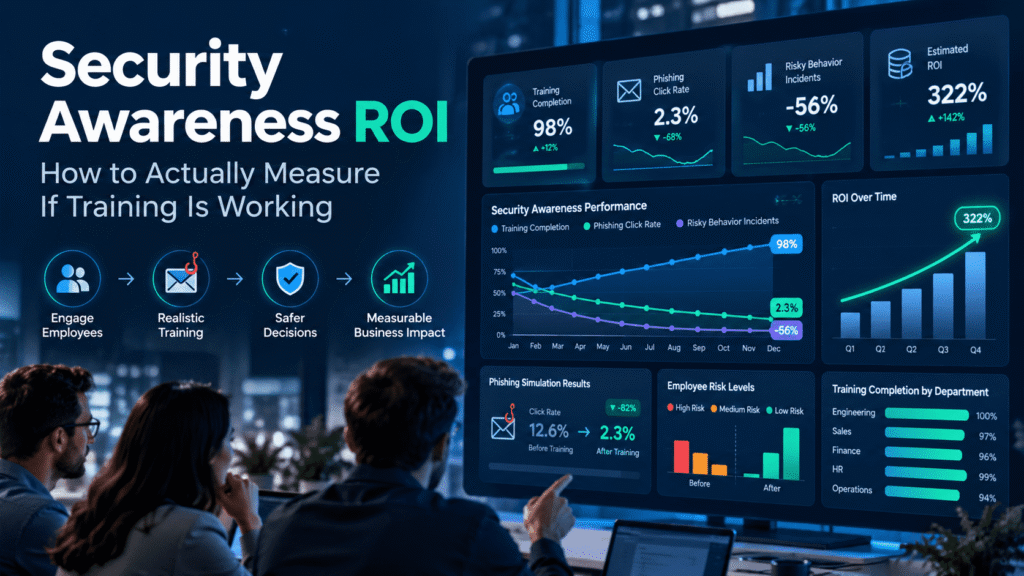
Security Awareness ROI: How to Actually Measure If Training Is Working
Every security team has a training dashboard. Most of them show the same thing: completion rates, quiz scores, and a green bar that says 96 percent. Leadership sees the green bar and assumes the human risk problem is handled.
It usually is not. Measuring security awareness ROI means looking past who finished the course and asking whether people behave differently when a real attack lands in their inbox. That is a harder question, and it needs better data.
This guide walks through what to measure, what to ignore, and how to build a reporting model that holds up in front of a CFO. It also covers a realistic scenario, a practical checklist, and where the right tooling fits.
Why Completion Rates Tell You Almost Nothing
Completion is a compliance metric. It proves that people clicked through a module before the deadline. It does not prove they learned anything, and it certainly does not prove they will act on it.
Think about how most annual training works. Employees get a reminder email, block out forty minutes, and click “next” until the certificate appears. Some run the video in another tab. Quiz questions reward memory over judgment, and people can retake them until they pass.
None of this is the employee’s fault. The program was designed to satisfy an auditor, so it produces audit evidence. If your goal is a lower breach probability, you need different evidence.
Completion still has a place. Regulators and cyber insurers often ask for it. Just treat it as a baseline requirement, not as proof of effectiveness.
What ROI Means in a Security Awareness Context
Return on investment sounds simple. You divide the value gained by the cost spent. The trouble is that security value is mostly things that did not happen.
You cannot invoice a breach you avoided. So the practical approach is to measure the inputs that drive risk, then connect them to cost where you honestly can. Three categories matter.
Behavior change. Are employees less likely to click, more likely to report, and faster to respond than they were six months ago?
Risk reduction. Are fewer incidents traced back to human error, and are those incidents cheaper to contain?
Operational efficiency. Is your team spending less time on repeat offenders, false alarms, and manual cleanup?
Once you track these three, the financial argument gets much easier. You are no longer defending a training budget. You are showing a trend line.
The Metrics That Actually Matter
Not every number deserves a slot on your dashboard. These are the ones worth the effort.
Phishing Click Rate Over Time
A single click rate is nearly meaningless. A click rate tracked across twelve months, with consistent difficulty, tells a story. Look for a downward trend and watch for plateaus.
Keep the simulation difficulty comparable, or be transparent when you change it. A team that suddenly faces much harder lures may see clicks rise. That is not failure. It may mean your earlier tests were too easy.
Reporting Rate
This is the most underrated metric in awareness programs. A click rate tells you who failed. A reporting rate tells you who acts as a human sensor.
An employee who spots a suspicious email and reports it gives your team an early warning. That one report may protect dozens of colleagues who received the same message. Healthy programs push reporting rates up steadily, even while click rates fall.
Time to Report
Speed matters as much as volume. A report that arrives in three minutes lets your team pull the message from every mailbox before most people open it. A report that arrives after four hours means the damage may already be done.
Track the median time between delivery and first report. When that number shrinks, your response capability is improving in a way you can measure.
Repeat Clicker Rate
Every organization has a small group that clicks again and again. They are usually not careless. Often they work in roles with heavy email volume, such as finance, HR, or procurement, where speed is the job.
Track this group separately. If repeat clickers shrink over time, your targeted coaching works. If the group stays stable, your general training is missing them.
Credential Submission Rate
A click is a warning sign. A submitted password is a real failure. Many simulation platforms let you separate these two events, and you should.
Some employees click out of curiosity and back away when the page looks wrong. Others enter their credentials. The second group carries far more risk, and their numbers deserve their own line on the report.
Incident Data Tied to Human Factors
Look at your real incidents from the past year. How many started with a phishing email, a reused password, or a misdirected file? Tag them consistently in your ticketing system.
This takes discipline, but it gives you the closest thing to ground truth. If simulation results improve while real human-factor incidents stay flat, something is off. Your simulations may not reflect the attacks your people actually face.
A Realistic Example: The Finance Team That Looked Fine
Consider a mid-sized manufacturing company with about 900 employees. Its security team ran quarterly phishing simulations and reported an overall click rate of 7 percent. Leadership was happy, and the training budget stayed untouched.
Then an analyst broke the numbers down by department. Company-wide, the results looked healthy. But the accounts payable team clicked at more than triple the average, and two people there had clicked in three consecutive campaigns.
The analyst also noticed something else. The company-wide reporting rate was low, and the few reports that came in arrived hours after delivery. Nobody had been taught what to do after spotting a suspicious message, or where to send it.
The team made three changes. They built a short, role-specific module for finance, using invoice fraud and vendor bank change requests as examples. They added a one-click report button to the mail client. And they set up a brief private conversation with repeat clickers, framed as support rather than punishment.
Over the next two quarters, the accounts payable click rate fell close to the company average. The reporting rate roughly doubled, and the median time to report dropped from hours to minutes. Six months later, a real vendor impersonation attempt hit the finance inbox. Two employees reported it within ten minutes, and the message never reached the rest of the team.
The average click rate had barely moved. The value showed up in the segments, the reporting behavior, and the response time. A single top-line number would have hidden all of it.
Build a Baseline Before You Change Anything
You cannot show improvement without a starting point. Before you launch a new program or overhaul an old one, capture where you stand.
Run a baseline phishing simulation with no warning. Record click rate, credential submission rate, reporting rate, and time to report. Break the results down by department, role, and location.
Document your incident data for the previous twelve months as well. Note how many events involved human factors and roughly what each cost in staff hours. Rough estimates are fine, as long as you use the same method later.
Write down the date and the method. Six months from now, you will want to defend these numbers, and clear records make that easy.
Connect Training to Business Outcomes
Security metrics matter to your team. Business outcomes matter to your executives. Your job is to translate between the two.
Start with incident cost. Even without exact figures, you can estimate the staff time spent on a phishing incident, from triage to password resets to mailbox cleanup. Multiply that by the frequency, and you have a rough annual cost of human-factor incidents.
Then look at what changed. If reporting is faster and repeat clicks are down, incidents should be cheaper and less frequent. You do not need to claim exact savings. A conservative, transparent estimate earns more trust than a bold number nobody can verify.
Cyber insurance offers another angle. Insurers increasingly ask about awareness programs, phishing testing, and reporting processes. A well-documented program can support renewal conversations and strengthen your position on coverage terms.
Finally, consider efficiency. Automated simulations, targeted coaching, and clear reporting workflows reduce manual work for your team. Hours saved are a real return, even when they never appear in a breach report.
Common Mistakes That Distort Your Numbers
Even careful teams fall into a few predictable traps.
Comparing unlike campaigns. A simple “package delivery” lure and a well-crafted executive impersonation are not equal tests. Log the difficulty of each campaign, and compare like with like.
Punishing clickers. Shame drives people to hide mistakes. If employees fear consequences, they stop reporting, and your best early warning system goes quiet. A low click rate built on fear is not a success.
Testing too rarely. One or two simulations a year produce noisy data. Frequent, lighter touchpoints reveal trends and keep the habit fresh.
Ignoring context. A rise in clicks after a merger, a reorganization, or a wave of new hires may reflect disruption rather than failed training. Annotate your reports so readers understand the cause.
Chasing zero. No program reaches a zero percent click rate. A goal of zero pushes teams toward gaming the numbers. A goal of steady improvement, faster reporting, and fewer repeat failures is realistic and honest.
What Security Teams Can Do This Quarter
You do not need a massive budget to improve measurement. Start with these steps.
- Capture a baseline. Run an unannounced simulation and pull twelve months of human-factor incident data.
- Add reporting to your scorecard. Track reporting rate and time to report next to click rate, and give them equal weight.
- Segment your results. Break data down by department, role, and seniority. Averages hide risk.
- Identify repeat clickers. Offer supportive, private coaching instead of blame.
- Tag incidents consistently. Add a human-factor field to your incident tickets so you can trend it.
- Tailor content to roles. Give finance, HR, executives, and IT teams examples that match their daily work.
- Report quarterly in plain language. Show trends, explain changes, and state limits. Leave out jargon that executives will skip.
- Review and adjust. Retire metrics that never lead to a decision, and add ones that do.
Small, steady changes compound. A team that follows these steps for two quarters will have better data and a stronger case than most.
How Cruxroot Supports Measurable Awareness
Good measurement depends on good inputs. You need realistic simulations, visibility into exposed credentials, and training people will actually complete and remember. Cruxroot brings these pieces together in one platform.
Phishing simulations let you run varied campaigns and track clicks, credential submissions, reports, and response times by team. You can compare results across campaigns and see which groups need extra support.
Dark web monitoring adds a second view of risk. It flags employee credentials that appear in leaked datasets, so you can connect real exposure to your awareness efforts. When an employee’s credentials surface, you can respond quickly and pair the reset with targeted guidance.
Gamified training keeps engagement high without turning learning into a chore. Short challenges, progress tracking, and friendly competition encourage people to participate, not just click through. Higher engagement gives you more meaningful behavior data to measure.
No platform replaces judgment. Tools give you the numbers, but your team still decides what they mean and what to do next. Cruxroot is built to make that work easier and the evidence clearer, especially for organizations that rely on their MSP partner for security operations.
Conclusion
Security awareness ROI does not live in a completion percentage. It shows up in behavior: fewer risky clicks, more reports, faster response, and cheaper incidents.
Start with a baseline. Track the metrics that reflect real behavior, segment your data, and report trends honestly. Be clear about what you can prove and what you can only estimate.
Do that consistently, and the conversation with leadership changes. You stop asking for budget to run training. You start showing evidence that your people are becoming part of the defense.
Check our latest the blog regarding Remote and Hybrid Work Security: The Attack Surface Nobody Is Training For
