

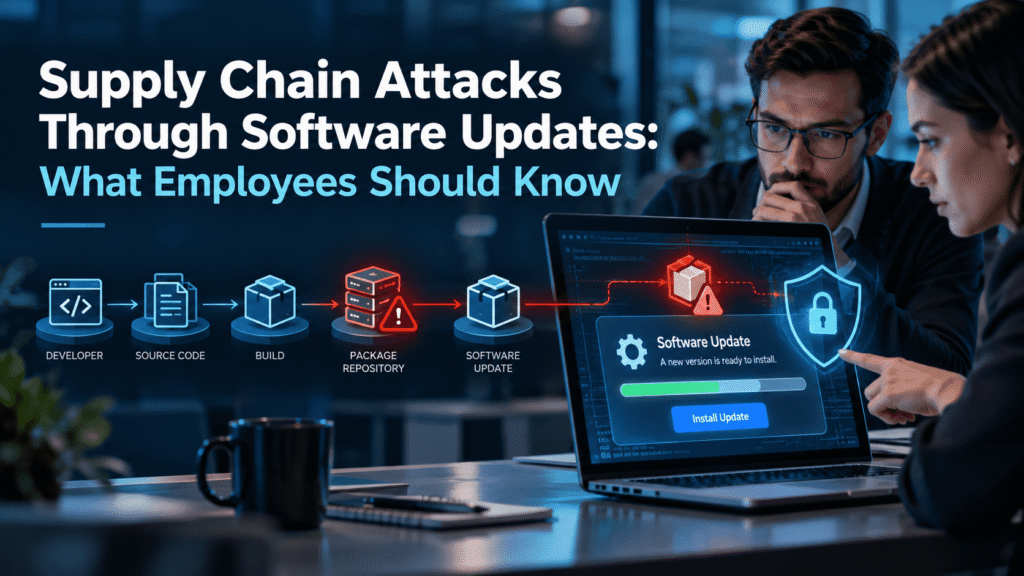
Supply Chain Attacks Through Software Updates: What Employees Should Know
Most employees know not to open a strange attachment. Far fewer think twice about the “Update available” prompt from software they use every day. That gap is exactly what attackers aim for.
Supply chain attacks through software updates turn a trusted vendor into a delivery route for malware. The update looks real, it comes from a real source, and it often carries a valid digital signature. Nothing about it feels like an attack.
This guide explains how these attacks work, why they succeed, and what employees can do about them. It also covers what security teams can do to limit the damage. You will find a realistic scenario, a list of warning signs, and a practical checklist you can use this quarter.
What Is a Supply Chain Attack Through a Software Update?
A software supply chain attack targets the tools and vendors a company relies on, instead of attacking the company directly. Attackers compromise a supplier, then use that supplier’s normal channels to reach every customer.
Software updates are one of the most effective channels. Vendors push updates to thousands of machines on a regular schedule. Customers expect them. IT teams often approve them automatically because they fix bugs and close security holes.
Attackers exploit that trust. If they can slip malicious code into a legitimate update, the vendor does the distribution work for them. Every customer who installs the update installs the attacker’s code as well.
This differs from a typical phishing attack in one key way. In phishing, the employee receives something suspicious from a stranger. In an update attack, the employee receives something routine from a vendor they already trust. The usual instincts do not fire.
Why Attackers Prefer the Update Route
Attackers think in terms of return on effort. Breaking into one company takes time. Breaking into one software vendor can open the door to hundreds or thousands of companies at once.
Several factors make updates attractive.
Trust is built in. Security tools, application controls, and employees all treat vendor updates as safe by default. Many organizations allow update processes to bypass checks that would stop other downloads.
Reach is wide. A single compromised build can land on every customer within days. Attackers can then choose which victims are worth pursuing and ignore the rest.
Detection is hard. The malicious code arrives inside a package that matches what the vendor normally ships. Antivirus tools may see a signed file from a known publisher and let it pass.
Privileges are high. Many update processes run with administrator or system-level rights. Malware that rides along inherits that access.
Attribution is slow. Investigators often need weeks or months to trace how the code entered the build process. That delay gives attackers time to work.
None of this means every update is dangerous. Most are not. It means attackers see updates as a high-value path, so defenders should treat them with proportionate care.
How Supply Chain Attacks Through Software Updates Work
Every incident differs in the details. Still, most follow a similar pattern. Understanding the stages helps employees and security teams see where they can interrupt it.
Stage 1: The attacker targets the vendor. The attacker finds a way into the software company. Common entry points include phished developer credentials, stolen access tokens, an unpatched server, or a compromised third-party code library the vendor uses.
Stage 2: The attacker reaches the build or distribution system. The goal is to modify the software before it ships, or to take control of the server that delivers updates. Some attackers change the source code. Others alter the build process so the final package contains extra code that never appears in the source.
Stage 3: The malicious update ships. The vendor signs and publishes the update as usual. In many cases the vendor has no idea anything changed. The package passes the normal checks because the checks run after the attacker has already made their edit.
Stage 4: Customers install the update. Automatic update tools, IT teams, and individual employees all install it. The malicious code now runs inside the customer’s network, often with broad permissions.
Stage 5: The attacker waits and selects targets. Careful attackers rarely act right away. They may sit quietly for days or weeks, then contact their own server and check which victims are interesting. Only a small number of customers may see follow-up activity.
Stage 6: The attacker moves deeper. From the first foothold, the attacker steals credentials, explores the network, and looks for data or systems worth taking. By the time anyone notices, they may hold access to a great deal.
Employees usually appear at Stages 4 and 6. They click the update, or they notice something odd afterward. Both moments matter, and we return to them below.
Real Incidents That Shaped the Threat
Several well-known cases show that this is not a theoretical risk. The details below stay at a high level, and you can find thorough public write-ups of each one.
SolarWinds Orion (2020). Attackers inserted malicious code into the build process of a widely used network management product. The company then shipped the altered software as a normal, signed update. Thousands of organizations installed it. The attackers focused their follow-up on a smaller group of high-value targets.
NotPetya and Ukrainian accounting software (2017). Attackers compromised the update mechanism of a popular tax and accounting package used in Ukraine. The malware spread through the update, then moved laterally inside networks. Many companies outside Ukraine suffered damage because they had a local office or partner running that software.
3CX desktop app (2023). A widely used business phone application shipped a compromised version to customers. Public reporting later showed that the 3CX compromise itself traced back to another compromised piece of software. In other words, one supply chain attack led to another.
Kaseya VSA (2021). Attackers abused a remote management platform that managed service providers use to administer their customers. The attack pushed ransomware to many downstream businesses through a tool that was supposed to help manage them. This case matters for anyone who buys IT services through a partner, because the partner’s tools become part of your attack surface.
These incidents share a theme. The victim did nothing obviously wrong. They installed software from a vendor they had good reason to trust.
A Realistic Scenario: The Label Printer Update
The following scenario is a composite. It blends patterns from real incidents so you can see how an attack might feel from the employee’s side.
A regional logistics company has about 250 employees. The warehouse and office teams use a desktop utility to print shipping labels. The utility comes from a small software vendor that has served the logistics industry for years. IT approved it long ago and rarely thinks about it.
On a Tuesday morning, a customer service coordinator named Priya opens the utility. A prompt appears: “Version 8.4 is available. Install now to keep label formats compatible with carrier updates.” The prompt looks identical to ones she has seen before. She clicks Install. Several colleagues do the same that day.
What Priya cannot know is that attackers compromised the vendor’s build server three weeks earlier. A developer at the vendor had reused a password that appeared in an older credential leak. The attackers logged in, found the build system, and added a small loader to the update package. The vendor signed the package without noticing.
For the first few days, nothing visible happens. The loader contacts a remote server, sends basic details about the machine, and waits. The attackers review the list of infected companies. A logistics firm with carrier accounts, payment details, and customer shipment data looks promising.
Nine days later, the loader downloads a second tool. This tool collects saved browser passwords and session tokens from the affected machines. The attackers use one of those tokens to sign in to the company’s email system. They watch conversations about invoices. Two weeks after that, a customer receives a message that appears to come from the company’s finance team, asking them to send payment to a new bank account.
Here is where the story could have gone differently, and where employees matter.
Moment one: the update prompt. Priya could not have spotted the compromise by looking at the prompt. Still, a company habit of routing software updates through IT, rather than approving them on individual desktops, would have given IT a chance to test and delay the rollout.
Moment two: the odd behavior. About a week after the update, a warehouse supervisor noticed that the label utility took far longer to open and briefly flashed a command window. He assumed it was a bug and said nothing. If he had reported it, IT could have compared notes with other machines and spotted the pattern within a day.
Moment three: the unusual email. A finance employee received an invoice change request that did not feel right, and she called the customer to confirm. That call stopped the fraudulent payment. It also gave IT their first real clue that something was wrong.
The attack succeeded in several places and failed in others. The failures came from people who paused, verified, and spoke up. That pattern appears in many real incidents.
The Fake Update Problem Employees See Most
Genuine supply chain compromises are rare compared with a related and far more common threat: fake updates. Employees meet these far more often, so they deserve their own section.
A fake update attack works like this. An employee visits a website, which may be a legitimate site that attackers have compromised. A pop-up or full-screen message appears. It claims the browser, a plugin, a video player, or the operating system is out of date. It urges the employee to download an update immediately.
The download is malware. It may steal passwords, install remote access tools, or open the door for ransomware.
These fake prompts often copy the look of real ones. They use brand logos, urgent wording, and countdown timers. Some arrive by email or text message. Others appear in search results as paid ads that mimic a vendor’s real download page.
Fake updates matter for supply chain awareness because they train the same habit. If employees learn that update prompts can come from anywhere, they will treat every unexpected prompt with care. That habit also helps when a real vendor update behaves strangely.
Why Employees Still Matter When the Vendor Is the Problem
A reasonable objection comes up here. If the attack happens at the vendor, and the malicious update looks legitimate, what can an employee realistically do?
The honest answer is that employees cannot stop every supply chain attack. A compromised signed update can fool experienced engineers. Nobody should expect a customer service coordinator to inspect code.
Employees do play three important roles, though.
They control the installation decision on many machines. In plenty of companies, staff can install or approve software updates on their own. Every unapproved install widens the attack surface and bypasses IT review.
They see the early symptoms. Slow performance, strange pop-ups, new browser extensions, unexpected login alerts, and odd network prompts often appear before security tools raise an alarm. An employee who reports these quickly can shorten an incident by days.
They face the follow-up attacks. After a foothold, attackers often use phishing, invoice fraud, or credential theft to go further. Employees who know these tactics can block the next step even when the first one succeeded.
So the goal is not to turn employees into malware analysts. The goal is to build a few reliable habits and a culture where reporting feels normal.
Warning Signs Employees Can Spot
No single sign proves an update is malicious. Several of them together, or any one of them in an unexpected context, should trigger a pause and a report.
The prompt appears at an odd time or place. Legitimate updaters usually run from the application itself or from an IT-managed system. A pop-up inside a web browser claiming your software needs updating is a red flag.
The update asks for unusual permissions. If a simple utility suddenly requests administrator rights, access to your browser data, or a new security exception, ask why.
The wording feels urgent or threatening. Real vendors rarely use countdown timers or warnings that your files will be lost. Pressure is a standard social engineering tactic.
The download comes from an unfamiliar source. An update hosted on a different domain from the vendor’s usual site deserves suspicion. So does a file attached to an email.
The software behaves differently afterward. Watch for slower startup, new windows that flash and disappear, unexpected network activity, new browser extensions, or fans spinning when the computer should be idle.
Security tools complain. An antivirus warning or an endpoint alert after an update should always reach IT, even if it looks like a false alarm.
Colleagues report the same oddity. If three people mention the same strange behavior after the same update, escalate it. Patterns matter more than any single report.
Employees should not feel they must prove something is wrong before reporting it. “This felt odd” is a perfectly good report.
What Employees Should Do Instead
Good habits beat good intentions. These practical steps fit into a normal workday.
1. Install software updates only through approved channels. Use your company’s software center, IT portal, or managed update system where one exists. If your company allows self-service updates, stick to the vendor’s official in-app updater.
2. Never accept an update from a pop-up on a website. If a web page says your browser or plugin needs updating, close the page. Open the application directly and check its settings, or ask IT.
3. Pause when something feels rushed. Urgency is the attacker’s friend. A thirty-second delay to check with IT costs very little.
4. Verify unexpected prompts through a second channel. Message IT on the company chat, call the help desk, or check the vendor’s official website by typing the address yourself. Do not use links inside the prompt or email.
5. Report odd behavior after an update. Tell IT what you saw, when it started, and which application was involved. A short message is enough. Screenshots help.
6. Do not hide a mistake. If you clicked something you now regret, tell IT immediately. Speed matters far more than blame. Early reports let teams isolate a machine before an attacker moves further.
7. Keep software current through the right channels. None of this advice means avoiding updates. Unpatched software creates its own risk. The aim is to update safely, not to stop updating.
What Security Teams Can Do
Employee habits help, but the strongest defenses sit with security and IT teams. The steps below suit most mid-sized and enterprise environments, including those supported by an MSP.
Build an inventory of the software you run. You cannot protect what you cannot see. Maintain a current list of applications, versions, and vendors across endpoints and servers. Pay special attention to tools with high privileges, such as remote management, backup, monitoring, and network software.
Stage your updates. Do not push every update to every machine on day one. Test on a small pilot group first, then widen the rollout over several days. This approach gives you time to catch problems that others discover first.
Control who can install software. Limit local administrator rights. Use application allowlisting where practical. Route updates through managed tools so the team can review and log them.
Review vendor risk. Ask critical vendors how they secure their build systems, how they protect signing keys, and how they notify customers of incidents. A vendor that cannot answer these questions clearly has told you something.
Monitor behavior, not just signatures. Signed software can still do malicious things. Endpoint detection tools that watch for unusual process behavior, unexpected outbound connections, and credential access can catch activity that signature checks miss.
Segment your network. If a compromised application cannot reach your most sensitive systems, the damage stays limited. Separate management tools, finance systems, and production environments where possible.
Protect credentials aggressively. Many supply chain attacks start with a stolen password at the vendor, and many end with stolen credentials at the customer. Enforce multi-factor authentication, rotate secrets, and watch for reused passwords.
Plan the response before you need it. Write a short playbook for a suspected compromised vendor update. Cover who decides to isolate systems, how you contact the vendor, how you communicate with staff, and how you check for follow-up activity.
Make reporting easy. Give employees one obvious place to report oddities, such as a dedicated email address or chat channel. Thank people who report, even when the report turns out to be nothing.
Run exercises. Walk through a tabletop scenario with IT, security, finance, and leadership. Use something like the label printer story above. Gaps in communication tend to show up quickly.
If you take only three actions from this list, start with staged rollouts, reduced admin rights, and a simple reporting path. Those three together reduce both the chance and the impact of a bad update.
Where Security Awareness Training Fits
Training cannot detect a compromised build server. No honest vendor should claim otherwise. Training does shape how people behave around the edges of these attacks, and the edges matter.
Consider the stages described earlier. Awareness helps at three of them:
- Before the attack, by reducing the number of employees who install unapproved updates or click fake prompts.
- During the attack, by increasing the odds that someone notices and reports early symptoms.
- After the foothold, by helping staff recognize the phishing, invoice fraud, and credential theft that usually follow.
Good training also fits the way people actually work. Long annual presentations rarely change habits. Short, frequent, realistic practice does. Employees remember what they have rehearsed, and they ignore what they sat through once a year.
Training works best alongside technical controls, not instead of them. Think of it as one layer in a defense that also includes patching discipline, endpoint monitoring, and vendor oversight.
How Cruxroot Supports Your Team
Cruxroot built its platform for the human side of these problems. Your MSP partner can offer it as part of a broader security program. Three capabilities connect directly to the topic of this article.
Phishing simulations. Fake update prompts, fake vendor notices, and fake invoice change requests all rely on the same pressure tactics. Cruxroot simulations let your team practice recognizing them in a safe setting. You can see which departments struggle, adjust your training, and track improvement over time. The aim is better judgment, not catching people out.
Dark web monitoring. Many supply chain attacks start with leaked or reused credentials, either at the vendor or inside your own company. Dark web monitoring checks for exposed employee credentials and alerts you so you can reset passwords and tighten access before an attacker uses them. It cannot prevent a vendor breach. It can shorten the time between a credential leak and your response.
Gamified training. Short, game-style modules keep employees engaged and make repeat practice realistic. Staff learn to spot suspicious update prompts, report odd behavior, and verify requests through a second channel. Because the modules are brief, people finish them, and finished training changes more behavior than abandoned training.
None of these tools replaces patch management, endpoint protection, or vendor risk reviews. They support those controls by strengthening the people who sit alongside them. If you want to see how this fits your environment, talk to your MSP partner about a Cruxroot assessment.
Conclusion
Supply chain attacks through software updates succeed because they exploit trust. The update comes from a vendor you know, through a channel you expect, and it looks like every update before it.
Employees cannot inspect code, and they should not try. They can install updates through approved channels, pause when a prompt feels rushed, report odd behavior quickly, and stay alert for the phishing and fraud that follow a breach. Security teams can stage rollouts, limit privileges, segment networks, and plan their response in advance.
Neither group can stop every attack. Together, they can make attackers work harder, notice problems sooner, and limit the damage when something slips through. Start with one change this month, whether that is a reporting channel, a staged rollout, or a short exercise. Small, steady habits add up.
Check our latest the blog regarding Vishing in the Age of AI Voice Cloning: How to Spot a Fake CEO Call
