

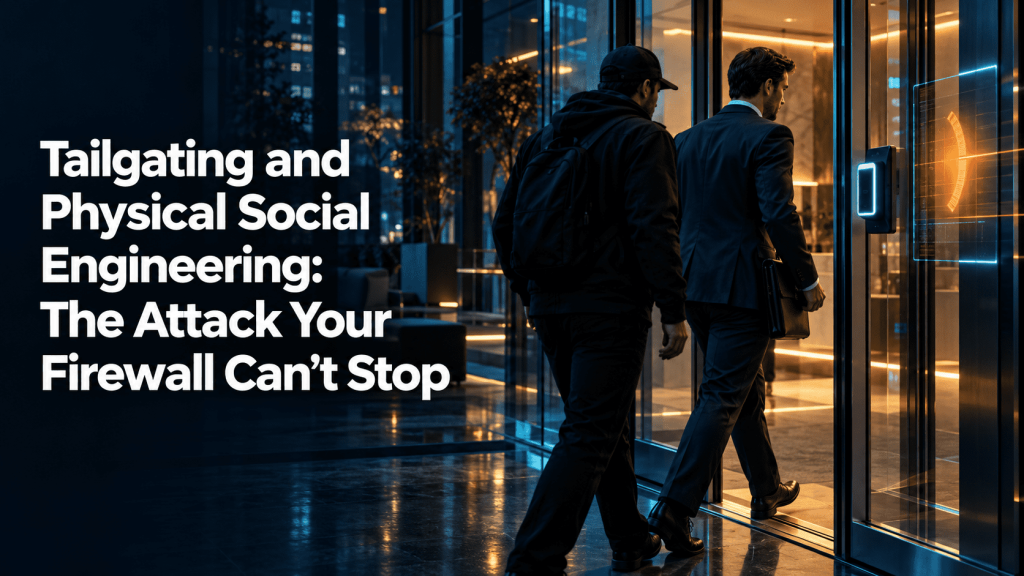
Tailgating and Physical Social Engineering: The Attack Your Firewall Can’t Stop
A man in a high-visibility vest holds a cardboard tray of coffees outside your office door. His hands are full. An employee on a smoke break sees him struggle, smiles, and swipes her badge to let him in. He walks to the elevator and disappears into the building.
That moment is tailgating and physical social engineering in action. No exploit, no malware, no stolen password. Just a polite human being and a door that stayed open a few seconds too long.
Most security programs spend their budget on the network edge. Firewalls, endpoint detection, and email filters get the attention. Yet an attacker who stands inside your building can plug into your network, read a whiteboard, or copy a document from an unlocked screen. Your firewall never sees any of it.
This article explains how physical social engineering works, why it succeeds, and what your team can do about it. It also covers how training and monitoring connect the physical and digital sides of the problem.
What Tailgating Actually Means
Tailgating is gaining entry to a restricted area by following an authorized person through a controlled door. The authorized person may know about it or not. Security professionals often use the term “piggybacking” for the version where the employee knowingly lets the visitor in.
The distinction matters less than the outcome. A person who should not be inside is now inside, and your access control system recorded nothing unusual. Only one badge swipe appears in the log, but two people entered.
Tailgating is one tactic within a wider category. Physical social engineering covers any attempt to manipulate people into giving up physical access or information. That includes impersonating staff, posing as vendors, and abusing the trust that employees extend to strangers who look like they belong.
Why Physical Attacks Still Work
Attackers use physical methods because they work. A well-run network may take weeks of effort to breach remotely. A confident person in the right clothes can often walk past reception in under a minute.
Three human tendencies make this possible.
First, people want to be helpful. Holding a door open is a reflex, not a security decision. Challenging a stranger feels rude, especially in a workplace that values friendliness.
Second, people assume that anyone inside the building already passed a check. If someone made it past the lobby, employees tend to treat them as legitimate. Attackers rely on this assumption.
Third, people avoid confrontation. Asking “who are you here to see?” feels awkward when the person looks busy and sure of themselves. Many employees would rather stay silent than risk embarrassing a colleague who turns out to be real.
None of these traits are flaws. They are normal social behavior. The problem is that attackers study them and use them deliberately.
The Pretexts Attackers Rely On
A pretext is the story an attacker tells to justify being somewhere. The best pretexts are boring. They sound like ordinary parts of a workday.
Common examples include:
- The delivery person. Carrying a box or a food order gives the attacker both a reason to enter and a reason for full hands.
- The IT or facilities technician. A lanyard, a toolbag, and a casual mention of a “ticket” is often enough.
- The new hire. Someone who says it is their first week and they have not received a badge yet draws sympathy, not suspicion.
- The visitor with a meeting. A name dropped confidently (often pulled from LinkedIn) can satisfy a busy receptionist.
- The contractor. Cleaning staff, electricians, and HVAC engineers all have legitimate reasons to roam a building.
Attackers also use props. A clipboard, a hard hat, or a laptop bag changes how people perceive them. Some wear company branded clothing copied from public photos. Others simply walk fast and look annoyed, which discourages questions.
A Realistic Scenario: The Printer Technician
Consider a mid-sized financial services firm with offices on two floors of a shared building. The company uses badge access at the lobby turnstiles and again at the office suite door.
An attacker spends an hour on reconnaissance. He checks the firm’s website and finds the office address. He reads staff posts on social media and learns the company recently changed printer vendors. A photo from a team event shows the badge design, including its color and logo.
On Tuesday morning, he arrives dressed in a dark polo and carrying a small toolbag. He prints a convincing badge at a copy shop. He waits near the lobby until a group of employees returns from a coffee run. He joins the group, chats about the weather, and passes the turnstiles without a swipe.
At the office suite door, he repeats the move. An employee holds the door open. He mentions that he is “here about the printer on the second floor.” The employee points him toward the print room.
Inside, he finds a quiet corner with a network port. He plugs in a small device that creates a remote connection back to his own infrastructure. He spends ten minutes photographing a whiteboard with project names and a sticky note holding a shared wifi password. He then leaves through the same door, thanking the employee who let him in.
Nobody raised an alarm. The firewall logged nothing. Weeks later, the security team finds unusual traffic leaving the network and begins an investigation that will take months to untangle.
This scenario is composite and illustrative, but every step in it matches techniques that penetration testers use in physical assessments. Teams that run these exercises report that the human layer often fails before any technical control does.
What Attackers Do Once They Are Inside
Gaining entry is only the first stage. What happens next depends on the attacker’s goal.
Network access. A rogue device plugged into an open port or conference room jack can give an external attacker a foothold. Some devices are small enough to hide behind a desk or inside a power strip.
Information theft. Whiteboards, printed documents, unlocked screens, and sticky notes all hold useful data. A single photograph can capture client names, project details, or credentials.
Credential harvesting. Attackers may sit at an unlocked workstation and read email, copy files, or install remote access software. Others look for visible passwords or badge details.
Hardware theft. Laptops, USB drives, and mobile devices disappear from desks. A stolen laptop with weak encryption can expose everything stored on it.
Planting devices. Keyloggers, rogue wireless access points, and malicious USB drives left in common areas all give attackers a quiet way back in.
The physical breach also helps later digital attacks. Details gathered inside the building, such as names, org charts, and internal jargon, make follow-up phishing emails far more convincing.
Why Firewalls and Endpoint Tools Miss This
Network security tools watch traffic and behavior on systems. They do not watch doors.
Once an attacker connects a device inside the perimeter, many internal controls treat that traffic as trusted. Traditional defenses focus on stopping threats at the edge. A physical intruder starts on the inside.
Even strong endpoint tools cannot stop someone from reading a printed document or photographing a screen. No software alert fires when an employee lets a stranger through a door.
This is why physical security and cybersecurity cannot sit in separate boxes. Many organizations assign door access to facilities teams and network defense to IT, with little overlap. Attackers exploit the gap between them.
Warning Signs Employees Can Learn to Spot
Employees do not need to become security guards. They need a few clear cues that tell them when to slow down and ask.
Watch for people who:
- Follow closely behind without presenting their own badge
- Claim to have forgotten or lost a badge and ask for entry
- Carry unusual equipment or appear unsure where they are going
- Ask questions about staff, systems, or schedules
- Linger near restricted areas, server rooms, or printers
- Seem rushed, annoyed, or overly friendly in ways that discourage questions
Context matters too. A delivery driver in the lobby is normal. The same driver on the third floor, away from reception, deserves a polite question.
The goal is not suspicion of everyone. It is a habit of noticing when something does not fit.
What Security Teams Can Do Right Now
Preventing tailgating takes layers. No single fix works, but several small changes together raise the cost of attack considerably.
Build the right policies
- Require every person to badge in individually, with no exceptions for colleagues
- Issue visible visitor badges that look clearly different from employee badges
- Escort visitors at all times and log their entry and exit
- Set a clear process for lost or forgotten badges (temporary badges issued by reception, not by colleagues)
- Define who can authorize contractor access and how it is verified
Improve the physical environment
- Install turnstiles or mantraps at high-risk entry points
- Add anti-passback features where possible so one badge cannot admit two people
- Disable or lock unused network ports in meeting rooms and public areas
- Place printers and shared equipment away from unmonitored entrances
- Position reception so staff can see who enters and exits
Make challenging people normal
The hardest barrier is cultural. Employees must feel safe asking “Can I help you find someone?” without worrying about offending anyone.
Leaders can help by saying it out loud. Tell staff that challenging a stranger is expected, and that no one will be criticized for it, even if the stranger turns out to be legitimate. Give people simple scripts they can use, such as “Can I see your badge?” or “Let me walk you to reception.”
Give people an easy way to report
Staff should know exactly what to do when something seems wrong. Publish one phone number or email address for security reports. Make sure reports get a quick response, because people stop reporting when nobody follows up.
Thank employees who raise concerns, even false alarms. Recognition builds the habit.
Test your defenses
Policies on paper do not prove anything. A physical penetration test shows how your controls hold up against a real attempt. Testers try tailgating, impersonation, and badge cloning under controlled conditions and report what worked.
Follow the results with retraining, not blame. A failed test is a finding, not a disciplinary matter.
Secure the basics at every desk
- Lock screens whenever a user steps away
- Use a clean desk policy for sensitive documents
- Shred printed material that contains confidential data
- Encrypt laptops and mobile devices
- Store removable media in locked drawers
These steps reduce what an intruder can gain even after they get inside.
Connecting Physical Awareness to Digital Risk
Physical social engineering rarely stands alone. Attackers often combine it with email, phone calls, and stolen credentials. A visit to your office may feed a later phishing campaign. A phishing email may help an attacker plan a physical visit.
Consider how the two connect. A visitor who photographs an org chart can send tailored emails to the right people. A leaked password found online may help an attacker bypass a system after a physical visit shows which tools your staff use.
Defending against one side while ignoring the other leaves a gap. Employees need consistent habits across both worlds: verify before trusting, report anything odd, and treat requests for access or information with measured caution.
How Cruxroot Supports This Work
Cruxroot is a security awareness platform built to help organizations strengthen the human side of their defenses. It cannot lock a door for you. It can help employees recognize and resist the manipulation tactics that make tailgating and similar attacks succeed.
Three parts of the platform apply directly to this problem.
Phishing simulations. Social engineering works the same way whether it arrives by email or at the front door. Simulations teach employees to pause, verify, and report. Staff who build that habit online tend to apply it in person as well.
Gamified training. Short, engaging modules help employees practice spotting pretexts and responding to unusual requests. Games and scenario-based lessons stick better than annual slide decks. Your team can walk through situations like the printer technician example in a safe setting.
Dark web monitoring. Credentials and company data often show up in leaked datasets after a breach. Monitoring alerts your team when employee information appears, so you can reset passwords and reduce the value of anything an attacker learned during a physical or digital intrusion.
No platform replaces good policies, solid door controls, or a culture that supports employees who speak up. Cruxroot works best as one part of a broader program. If you work with an MSP partner, they can help you decide how to fit training and monitoring into your existing security plan.
Conclusion
Tailgating works because it exploits kindness, not code. A firewall cannot stop an employee from holding a door open for a stranger with a coffee tray.
The answer is not to make people cold or paranoid. It is to give them clear policies, simple scripts, and confidence that asking questions is part of the job. Combine strong physical controls with regular training and honest testing, and the easy path through your front door gets much harder to walk.
Start small. Review your visitor process this week. Check whether network ports in meeting rooms are live. Talk to your team about what to do when someone follows them through a door. Each of these steps takes little time and closes real gaps.
Check our latest the blog regarding MFA Fatigue Attacks: When “Approve” Becomes the Vulnerability
